9 Best Contract Management Software for Small Businesses
Contracts are tied to every business deal, but the way they’re managed is often fragmented. In many small teams, a single contract moves through Word, email, Slack, and e-signature solutions, slowing the process and making it harder to track.
The impact is measurable. Inefficient contract processes can make cycle times stretch several weeks, with nearly 64% of companies reporting missed business opportunities due to contract delays.
For small business owners, lean legal teams, and operations leads at startups (typically with 5–100 employees), this becomes a scaling problem. Even a few contracts per week can turn into hours of manual follow-ups, version tracking, and approval challenges.
Contract management software is purpose-built to fix this. The right tool can reduce contract turnaround time by 30-50%, cut administrative workload by 60%, and reduce negotiation or review time by 50% through automation and AI.
Some platforms on this list go a step further. One, in particular, works well for early-stage teams: it replaces the traditional Word + email + e-sign workflow, uses AI to draft and review contracts in minutes, and offers startup-friendly pricing models customized for growing companies. We’ll get into that in the sections below.
Before that, let’s start with the basics of choosing a tool that fits your stage.
How to Evaluate Contract Management Software (Feature Checklist)
Contract management directly affects revenue, compliance, and operational efficiency. Organizations lose 8.6% of contract value on average, with some losing up to 40% due to inefficiencies, while 90% of teams struggle to find contracts when needed. Use the checklist below to evaluate whether a tool actually solves these problems.
Contract creation and standardization: Look for templates, clause libraries, and version control to standardize contract creation. This reduces drafting time and legal risk while ensuring consistency, especially since 84% of organizations rely on standardized agreements.
Workflow automation and approvals: Evaluate configurable workflows, role-based approvals, and audit trails. With 26% of employees involved in contract processes, manual coordination creates challenges, and automation can significantly reduce cycle times.
OCR support: Ensure the platform can index and search scanned PDFs using OCR. Contracts are often spread across an average of 24 systems per organization, and OCR makes legacy documents searchable without manual effort.
Centralized repository and search: Check whether the tool has a centralized repository that offers full-text search and structured metadata. This helps teams easily locate contracts while avoiding revenue leakage.
Security and compliance: Evaluate role-based access controls, encryption, audit logs, and certifications such as SOC 2. As contracts include sensitive legal and financial data, weak controls increase exposure to compliance failures.
Mobile support: Ensure the tool supports mobile access for reviewing, approving, and signing contracts. This is important for distributed teams where delays often happen outside desktop workflows, directly impacting deal cycle time.
Besides this, evaluate whether the tool has:
Native e-signature
Reporting and analytics
CRM, ERP systems integration
Alerts and obligation tracking.
Each of these features directly maps to a business outcome, whether it is reducing cycle time, preventing revenue leakage, or improving compliance. Evaluating tools against this checklist ensures you are solving the right problems (not just adding additional software).
Contract Software categories explained: what to choose and why
Not all “contract software” solves the same problem. Some tools focus on signatures, others on storage, and a few manage the entire contract lifecycle. Understanding these categories helps you avoid overpaying, or worse, outgrowing your tool too quickly.
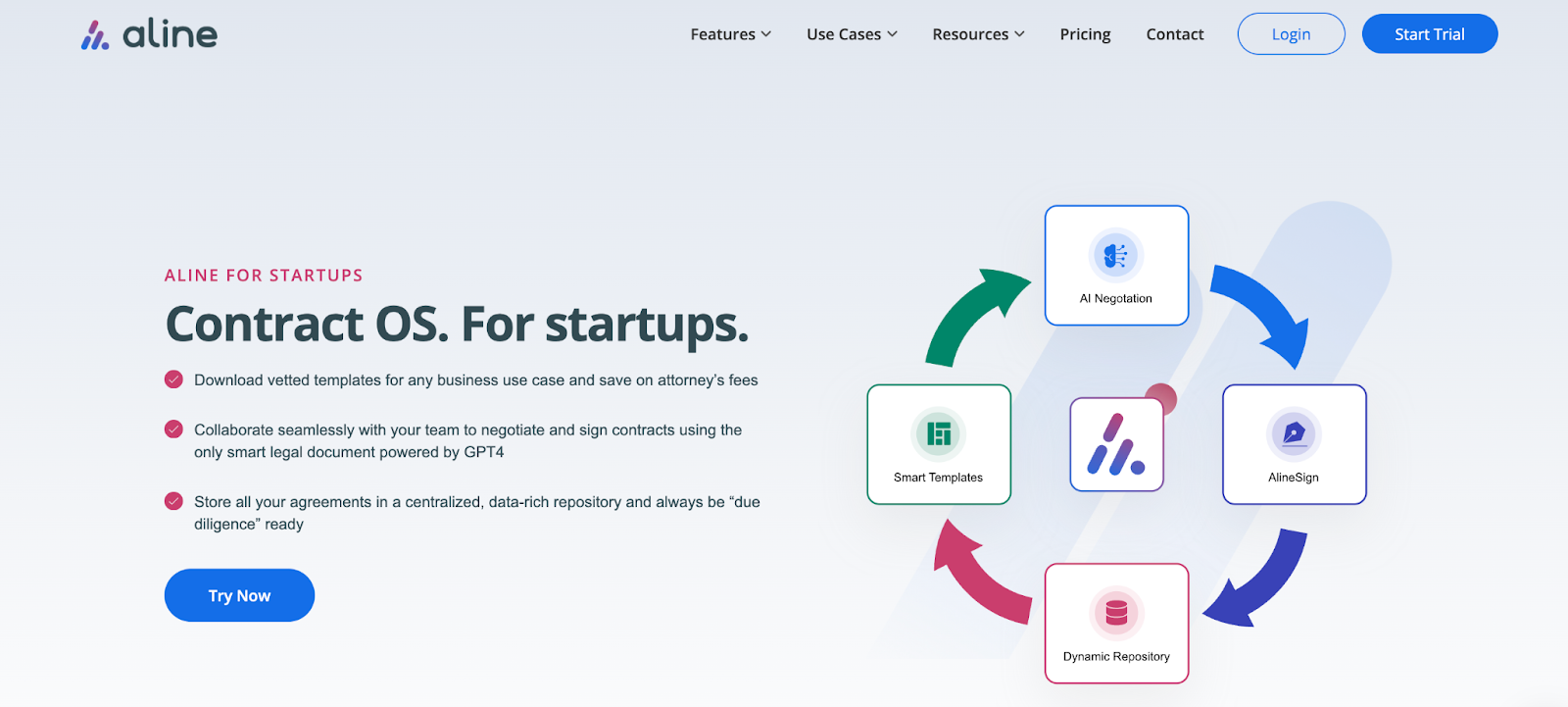
AI-native CLM (Aline)
Aline is in a category of contract management tools that embed AI across the workflow. It supports every stage of the contract lifecycle management while reducing manual effort in drafting, negotiation, and review. It gives you:
Covers drafting, redlining, approvals, signing, storage, and post-signature analysis in one system
AI works directly within the contract to suggest edits, flag risks, and apply playbooks
Redlining cycles are reduced by up to 50-75% through automated suggestions
Implementation typically takes less than a week, compared to legacy CLMs, which can take up to 9 months to deploy.
This allows small businesses to manage contracts efficiently without patching multiple disconnected tools.
E-signature and Document Tools (PandaDoc, ContractSafe)
Tools under this category are specifically designed for document creation and execution, without adding layers of workflow or lifecycle management.
These platforms are often the first step for small businesses moving away from manual contracts. They replace email approvals and offline signatures with a centralized, digital process that is easier to manage. It gives you:
Strong template libraries and document generation capabilities
Integrated e-signature workflows
Limited support for negotiation, risk analysis, or lifecycle tracking.
These tools work best for teams that prioritize speed and simplicity. Once a document is signed, however, there is little visibility or control over what happens next, which can become a limitation as contract volume and complexity increase.
Traditional CLM Platforms (Juro, Hyperstart CLM, DocuSign CLM)
Tools in this category provide structure and consistency in how contracts are managed throughout their lifecycle. They go beyond just creating and signing documents by leveraging workflows for approvals, storage, and compliance.
These platforms are often adopted when contract volume starts increasing, and teams need better visibility into where agreements stand. Instead of managing it across emails and shared drives, everything is handled within a single system. It gives you:
Centralized storage with version control and audit trails
Approval workflows to standardize review and sign-off processes
Role-based access and permission controls
Basic AI capabilities, usually limited to search or data extraction
These tools suit teams that need process control and accountability. However, much of the drafting and negotiation still relies on manual effort, which can slow things down as complexity increases.
9 Best Contract Management Solutions For Small Businesses
Integrated AI across drafting, reviewing, negotiation, signing, and reporting
Juro
Collaborative browser-based CLM
Basic drafting and review assistance
Lightweight approval and signing workflows
Shared repository with collaboration tools
Collaborative, browser-based CLM with minimal setup
Zoho Contracts
Zoho-native contract workflows
Basic automation and template assistance
Zoho-integrated approvals and lifecycle tasks
Central contract storage inside Zoho ecosystem
Integrated workflows within the Zoho ecosystem
HyperStart CLM
Structured CLM for policy-driven teams
Limited AI support
Structured workflows with approvals
Contract records and compliance visibility
Compliance-heavy workflows with structured approvals
ContractWorks
Simple contract repository and reminders
Minimal AI search
Low automation
Secure repository with alerts and reminders
Secure central repository for contracts with alerting
DocuSign CLM
Contract workflows tied to DocuSign ecosystem
Contract analytics and insights
Structured enterprise lifecycle automation
Centralized contract tracking within DocuSign environment
Contract workflows built around DocuSign
DocJuris
AI-assisted contract negotiation
AI redlining and negotiation support
Focused on review and negotiation workflow
Less repository-focused than full CLM systems
Faster contract negotiation with AI-assisted review
PandaDoc
Sales-driven proposals and document workflows
AI-assisted content generation
Proposal, approval, and signature workflows
Document storage and sales-focused tracking
Sales-driven document workflows with quick turnaround
ContractSafe
Simple storage and reminder-based contract management
Minimal AI functionality
Basic reminder automation
Easy-to-search contract repository
Simple contract storage with reminders and easy access
There are plenty of tools out there, but not all of them are built with small businesses in mind. You need something simple, affordable, and easy to use, without sacrificing the features that actually matter.
Below are some of the best contract management solutions that strike that balance and help small teams stay organized, move faster, and keep deals on track.
1. Aline
Aline is a modern contract management solution built for small businesses that want speed, simplicity, and structure without hiring a full legal team. It’s especially popular among startups and growing B2B companies that need to handle legal contracts quickly and professionally.
Most small businesses don’t manage contract workflows in a single place. They’re stitching together Word for drafting, email for negotiations, standalone e-signature tools for approvals, and cloud storage to keep track of it all. That usually means paying for 3 to 4 different tools and still dealing with version confusion, missed edits, and slow turnaround times.
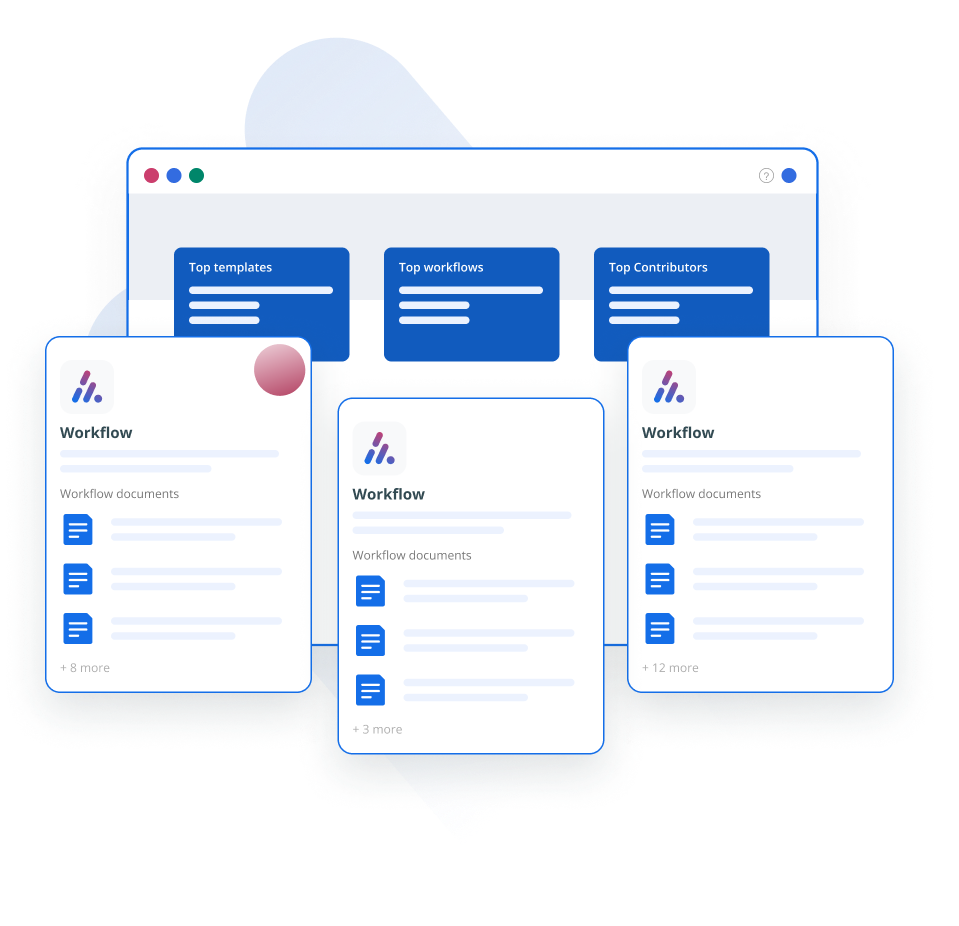
Aline replaces that entire workflow with a single system. Drafting, redlining, approvals, signing, and storage all happen in one place, which removes the need to switch tools or manually track progress.
The bigger problem for small teams is legal bandwidth. Most founders do not have in-house counsel. Routine contracts either get reviewed manually or sent to external lawyers, which slows down deals and increases costs. In practice, contracts sit in inboxes, approvals stall, and small errors slip through.
Aline is built to reduce that friction with measurable results. Teams using Aline report 50–75% faster contract turnaround times and cut time spent on diligence and reporting by up to 10x.
As workflows, approvals, and e-signatures are built in, contracts move without manual follow-ups. This also reduces reliance on external counsel, helping teams reclaim $40K annually and save $15+ hours per week, which directly reduces legal spend for growing businesses.
The gains show up at the task level too. Work that used to take 45 minutes, like redlining a standard NDA, can be completed in under 2 minutes using AI-assisted review. Also, most deploy Aline in 3-4 days, whereas legacy CLMs can take 3-6 months.
That speed shows up immediately. Most Aline users are able to create and close their first contract within a few days of getting started. Our client, Akasa, rolled out Aline across four departments in 3 days, enabling a 10-person team to start using it without IT involvement.
For small businesses, these offerings eliminate the need to manage contracts across disconnected tools or to wait days for them to move forward. You can generate, review, and close agreements in one system with predictable turnaround times.
Best Features
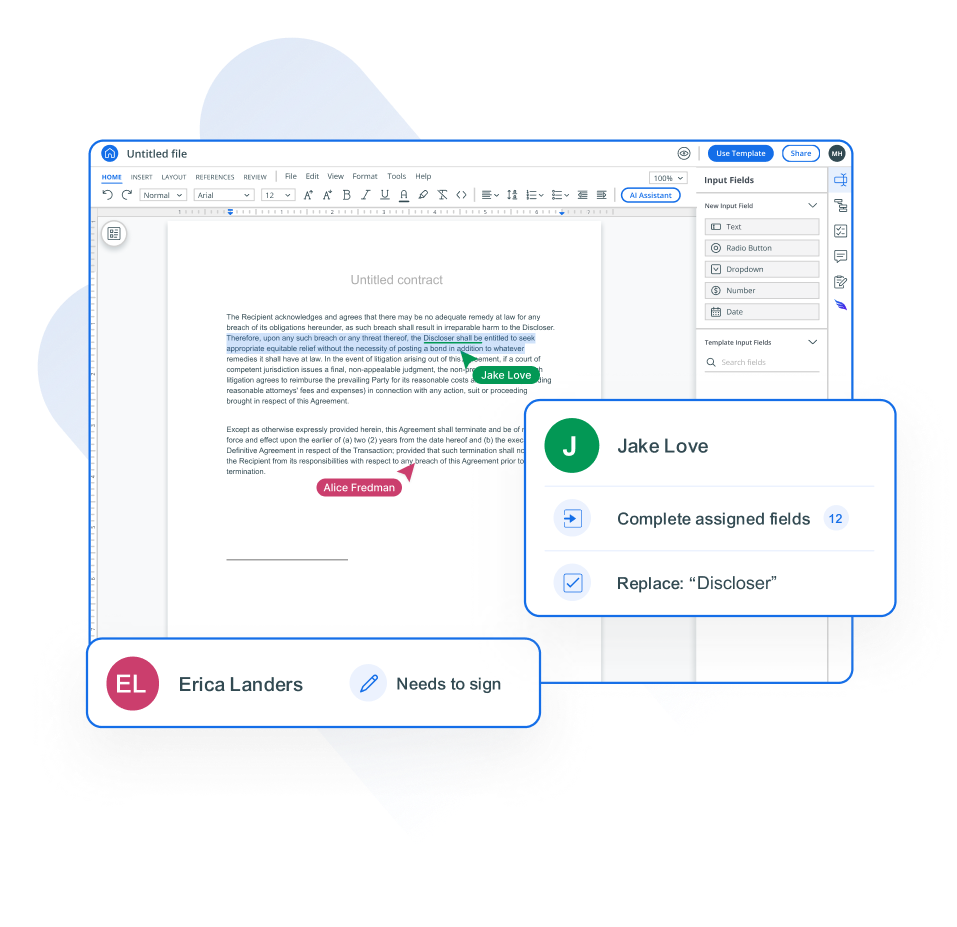
Smart legal documents: Draft, collaborate, track edits, and manage contract versions in one shared workspace. This provides real-time visibility across teams, reducing contract turnaround time by 30–50% and eliminating version conflicts.
Built-in AlineSign: Send, sign, and track contracts with built-in e-signatures (implemented within a day) with audit trails, reporting, and version history. This helps move contracts from approval to execution without switching tools and accelerating completion by 30–40%.
AI-powered support: Use AI to draft agreements, redline using predefined rules, and analyze contracts instantly across documents, completing routine legal tasks in minutes and making workflows 5–10x faster. Automated redlining has also helped teams to save 15+ hours per week and reclaim $40K in annual savings.
Vetted contract templates: Create contracts using structured templates and clause libraries for common agreements, reducing first-draft creation time by 50–70% and improving consistency across contracts.
Central contract storage: Store and organize contracts in a searchable repository with clause-level visibility and structured data. This reduces time spent on locating documents by 80–90% and improves audit readiness.
Custom workflows: Route contracts through automated approval workflows across legal, sales, and finance teams with tracking and notifications, reducing approval delays by up to 40% and preventing process bottlenecks.
Startup support: Get started with minimal setup and no heavy IT involvement, allowing teams to go live in under 7 days and begin executing contracts immediately.
Pros
Saves 10-20+ hours per week on contract work: Teams reduce time spent on drafting, redlining, and follow-ups by automating routine workflows and centralizing collaboration.
Replaces 5-7 separate tools in one platform: Consolidates Word/Docs, email negotiation, e-signature tools, cloud storage, and manual tracking into a single system, reducing tool costs and context switching.
Speeds up deal cycles by 30–50%: Faster drafting, approvals, and signatures help close sales contracts and complete hiring agreements without delays.
Reduces legal spend by 30–40%: Cuts dependency on external counsel for routine contracts while improving consistency with templates and AI-assisted review.
Accelerates time to value: Most teams are up and running in under a week, and routine drafting and redlining tasks can be completed 5–10x faster.
Before You Choose Aline: Key Questions Answered
Is Aline too expensive for a small or early-stage business?
Aline is priced as a full contract lifecycle platform at about $2,400 per year, but it replaces multiple tools and reduces legal overhead. Teams often eliminate separate e-signature solutions, reduce routine legal spend by 30–40%, and shorten contract cycle time by 30–50%. Many organizations see ROI within the first quarter through faster deal execution and fewer manual processes.
Will our tools actually connect, or will we still be doing manual updates?
Aline eliminates the need to manually sync data across tools by centralizing contracts from systems such as Google Drive, Dropbox, Box, SharePoint, and local storage into a single AI-powered repository. Instead of updating multiple systems, teams work from one source of truth where reporting, analysis, and contract visibility are available instantly.
Is AI-drafted contract language legally reliable? What about hallucinations?
Aline’s AI works within approved templates and clause libraries, using structured legal language rather than generating contracts from scratch, which significantly reduces the risk of hallucination. Contract data is not used to train external models, and all outputs remain reviewable and controlled before execution.
We don’t have an in-house legal team. Will this require legal expertise to use?
Aline is built for cross-functional teams, not just lawyers. Sales, finance, and operations teams can draft and manage contracts using templates, playbooks, and guided workflows, while legal standards remain enforced through predefined rules and approval processes.
Our contracts are complex. Can it handle fallback positions and non-standard terms?
Yes. Aline uses AI playbooks that capture approved clauses, fallback positions, and negotiation rules. These can be automatically applied during drafting and redlining to maintain consistency while still allowing teams to handle non-standard agreements and edge cases.
Best For
Small to mid-sized teams (50–1500 employees) that need AI across drafting, redlining, and lifecycle in one tool
Companies without a lean legal team are looking to reduce manual contract work and external legal dependency.
Fast-moving teams that need quick implementation and minimal onboarding overhead.
Not So Good For
Large enterprises needing deeply customized, legacy workflow-heavy CLM setups
Teams looking for standalone tools for e-signatures or contract storage.
Struggled with fragmented contract workflows, relying on manual redlining and frequent involvement of external counsel, which slowed deal cycles. Adopted Aline AI to automate drafting, redlining, and contract analysis while standardizing workflows with playbooks and built-in collaboration. Achieved 50% faster redlining, saved 10–15 hours per week, and reduced legal spend by $40K annually.
Handled contracts through scattered systems with no centralized visibility, making it difficult to track renewal dates and key terms without hours of manual searching. Implemented Aline to centralize contracts, enable AI-powered search, and generate reports instantly across agreements. Saved 10+ hours per week, reduced reporting effort, translating to $30K in annual savings, and gained real-time visibility across 10,000+ contracts.
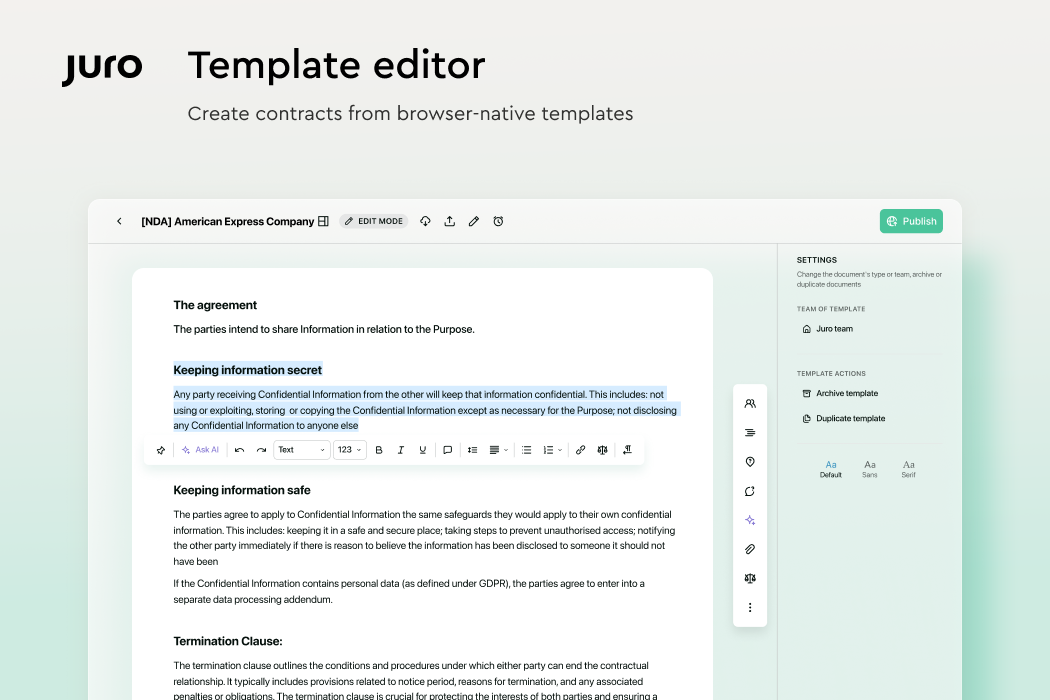
Juro is a contract management platform designed to simplify the entire contract creation process for fast-moving businesses. It combines drafting, negotiation, signing, and storage in one browser-based workspace, so you’re not stuck switching between multiple tools.
It’s especially useful for teams that want better visibility into contract performance and need a clean, user-friendly system that legal and business teams can both use.
Best Features
In-browser editor – Create, edit, and manage contracts directly in your browser without switching tools.
Real-time collaboration – Work with your team or counterparties in one shared workspace with comments and tracked changes.
Integrated e-signatures – Sign contracts quickly without needing a third-party signature tool.
Approval workflows – Set up structured review and approval flows to keep contracts moving.
Activity tracking – Monitor contract status and engagement with a full timeline of actions.
CRM and Slack integrations – Connect with tools like Salesforce and Slack for better team coordination.
Contract performance insights – Track contract progress and spot delays to improve turnaround times.
Pros
Easy to use with a clean, modern interface
Built for both legal and business users
Speeds up the contract process with fewer steps
Great for tracking contract status and engagement
Best For
Business teams that want self-serve contract creation and collaboration (browser-based workflows).
Teams prioritizing ease of use and faster contract turnaround
Teams enabling business users to create and manage contracts without heavy legal involvement.
Not So Good For
Teams needing deep customization or highly complex workflows
Businesses expecting deep integrations or flexibility across systems.
3. Zoho Contracts
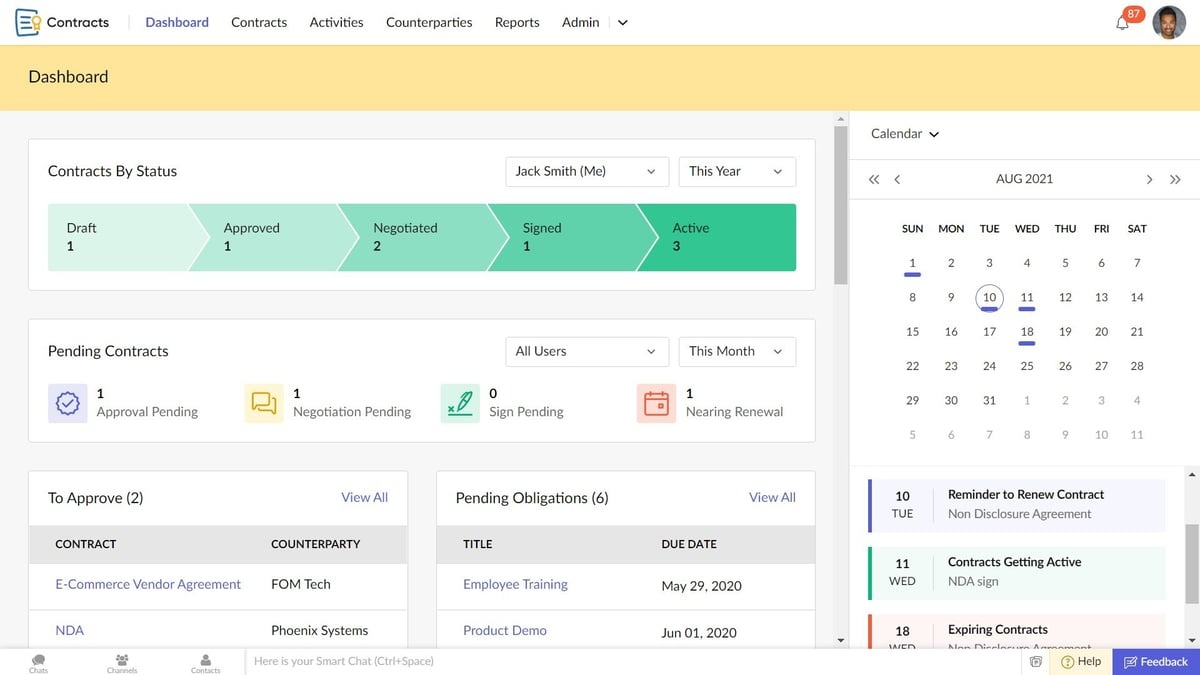
Zoho Contracts is part of the larger Zoho ecosystem, which makes it a smart pick for small businesses already using tools like Zoho CRM. It’s built to support effective contract management with simple workflows for creating, approving, signing, and tracking contracts all in one place.
With features like automated contract renewals and clear version tracking, it helps you avoid manual errors and stay ahead of deadlines. And since it's part of a suite that includes customer relationship management, it fits neatly into your existing setup if you're using other Zoho apps.
Best Features
Contract templates – Create agreements quickly using pre-built templates designed for common business needs.
Clause library – Save and reuse approved legal language to speed up the drafting process.
Version control – Track changes across contract versions to maintain accuracy and consistency.
E-signature integration – Send and sign contracts electronically without needing a separate tool.
Audit trails – View a complete activity log to stay compliant and informed.
Zoho integration – Connect with Zoho CRM and other Zoho apps for unified workflows.
Pros
Seamless integration with other Zoho products
Affordable and small-business friendly
Helps reduce manual work and missed deadlines
Solid tracking for contract terms and renewals
Best For
Teams needing structured workflows with templates and clause libraries
Businesses that are already using Zoho for CRM and operations integration
Teams wanting centralized visibility and lifecycle tracking.
Not So Good For
Teams expecting in-platform negotiation adoption (counterparties often work outside the platform).
Businesses needing deep customization or strong third-party integrations.
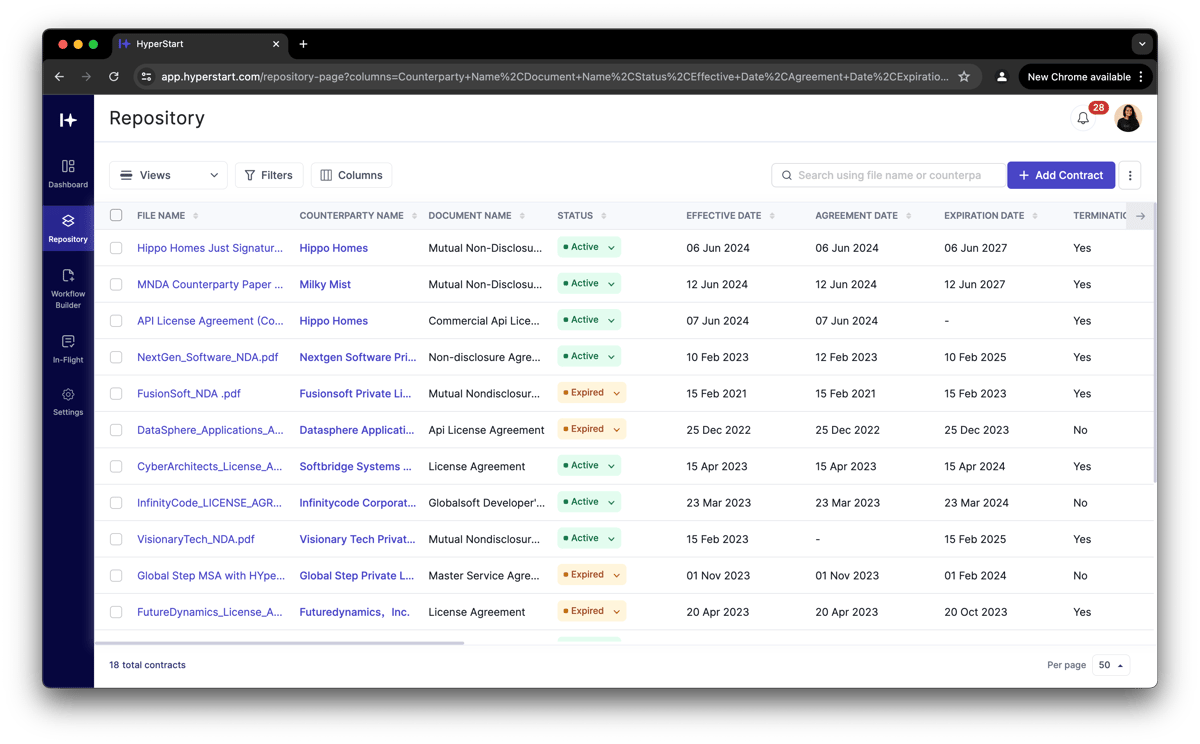
4. Hyperstart CLM
Hyperstart CLM is built for startups and small businesses that want to manage contracts without the extra noise. It keeps things simple, helping you draft, sign, and organize contracts quickly—no legal team required.
It’s suitable for small teams that just want a clear view of key contract terms, easy contract approvals, and a smooth way to keep deals moving. Plus, their customer support team is responsive and helpful if you ever need a hand.
Best Features
Contract templates – Use startup-friendly templates to draft agreements faster.
E-signature support – Sign contracts directly inside the platform—no extra tools needed.
Central storage – Keep your contracts in one place with searchable folders and tags.
Simple dashboard – Track contract approvals, pending signatures, and deadlines at a glance.
Tagging and search – Find any agreement quickly by filtering for key contract terms.
Fast onboarding – Set up your workspace and get started in minutes.
Customer support team – Friendly and available to help when questions come up.
Pros
Clean, easy-to-use interface
Great fit for early-stage companies
Helps teams stay organized without complexity
Strong customer support and fast setup
Best For
Teams needing AI-assisted clause extraction and contract review
Organizations focused on automated approval workflows and efficiency
Teams requiring strong customer support and guided onboarding.
Not So Good For
Teams expecting fully mature feature sets (users report missing features like in-line edits)
Businesses needing strong documentation and learning resources.
5. ContractWorks
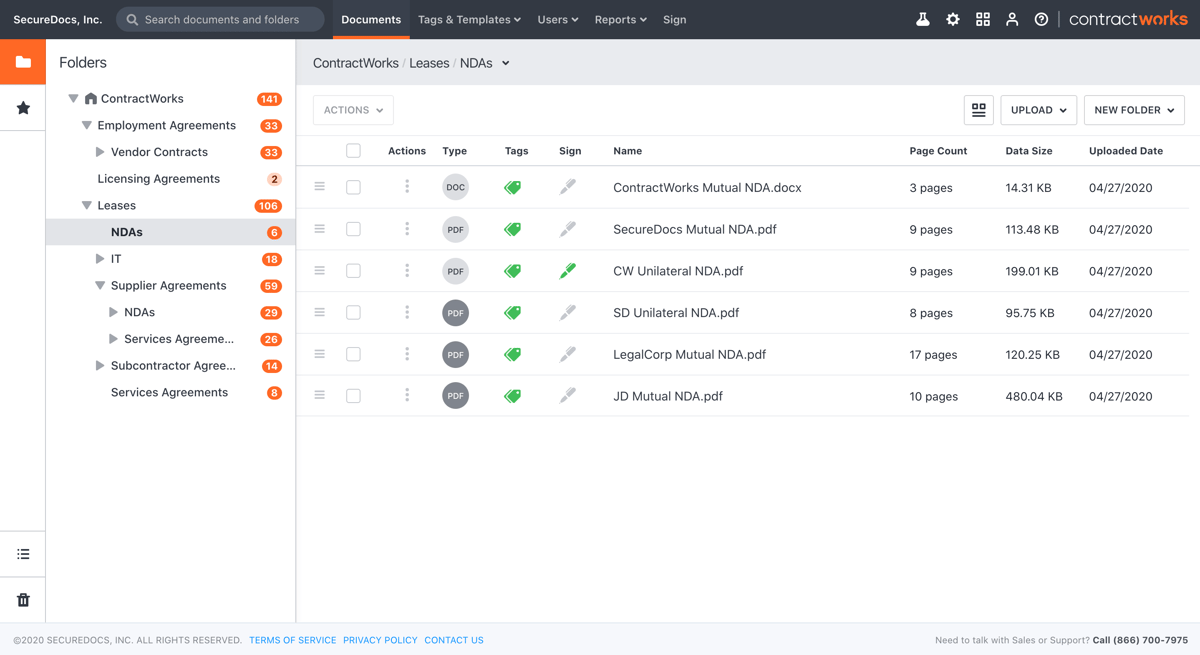
ContractWorks is a straightforward contract management platform that focuses on security, simplicity, and speed. It's a great fit for small businesses that handle sensitive legal agreements and want to keep their contract execution process clean and efficient.
You won’t find unnecessary features here, just the core tools that help you stay organized and in control. With ContractWorks, it’s easy to manage your existing contracts, keep track of key dates, and securely store signed documents.
Best Features
Built-in e-signatures – Finalize contracts without needing third-party signing tools.
Smart document tagging – Organize and search through existing contracts with custom tags.
Secure storage – Store all legal agreements in a centralized, permission-controlled system.
Automatic alerts – Get notified of expiration dates and upcoming renewals.
Custom reporting – Track contract status, timelines, and activity with easy-to-use reports.
User-friendly dashboard – View all pending actions and completed execution steps in one place.
Quick implementation – Set up in days, not weeks, with support from their onboarding team.
Pros
Great for managing sensitive or high-stakes contracts
Teams focused on secure document storage, audit trails, and reporting
Organizations needing a simple contract repository without complexity.
Teams looking for strong folder organization features with role-based access, including restricting it to view-only.
Not So Good For
Teams needing full lifecycle management (collaboration + customization)
Organizations expecting AI-driven workflows or automation.
6. DocuSign CLM
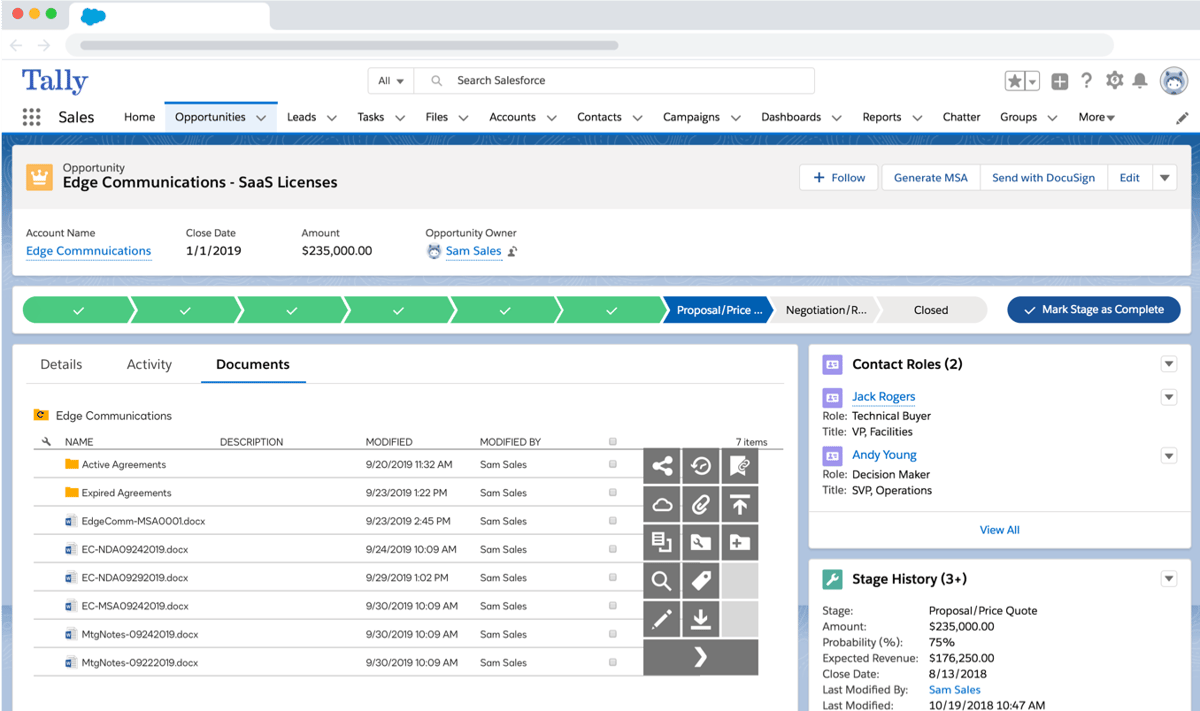
DocuSign CLM expands on what many small businesses already know from the original DocuSign e-signature tool. But this version goes far beyond signing. It helps you generate contracts, track approvals, manage changes, and execute contracts all in one system.
While it's on the more robust side, DocuSign CLM is still a solid option for small businesses ready to scale. It brings everything together—people, documents, and workflows—to help you keep contracts moving and stay audit-ready at all times.
Best Features
Clause libraries – Save and reuse common language to keep contracts consistent.
Custom workflows – Automate steps like approvals, reviews, and reminders.
Integrated e-signatures – Sign and finalize documents without switching tools.
Collaboration tools – Allow teams to work together on documents in real time.
Document tracking – Monitor progress through each stage of the contract lifecycle.
Secure storage – Keep contracts organized with strong permission controls.
Scalable system – Designed to grow with your business and handle complex workflows.
Pros
Trusted platform with proven security
Powerful automation for contract-heavy teams
Integrates well with CRMs and other business tools
Transparent contract management software pricing based on features and team size
Best For
Enterprises needing end-to-end automation and centralized contract control
Teams prioritizing compliance, audit trails, and structured workflows
Organizations already using the DocuSign ecosystem for signatures.
Not So Good For
Teams sensitive to high pricing at scale
Teams needing a quick, lightweight implementation.
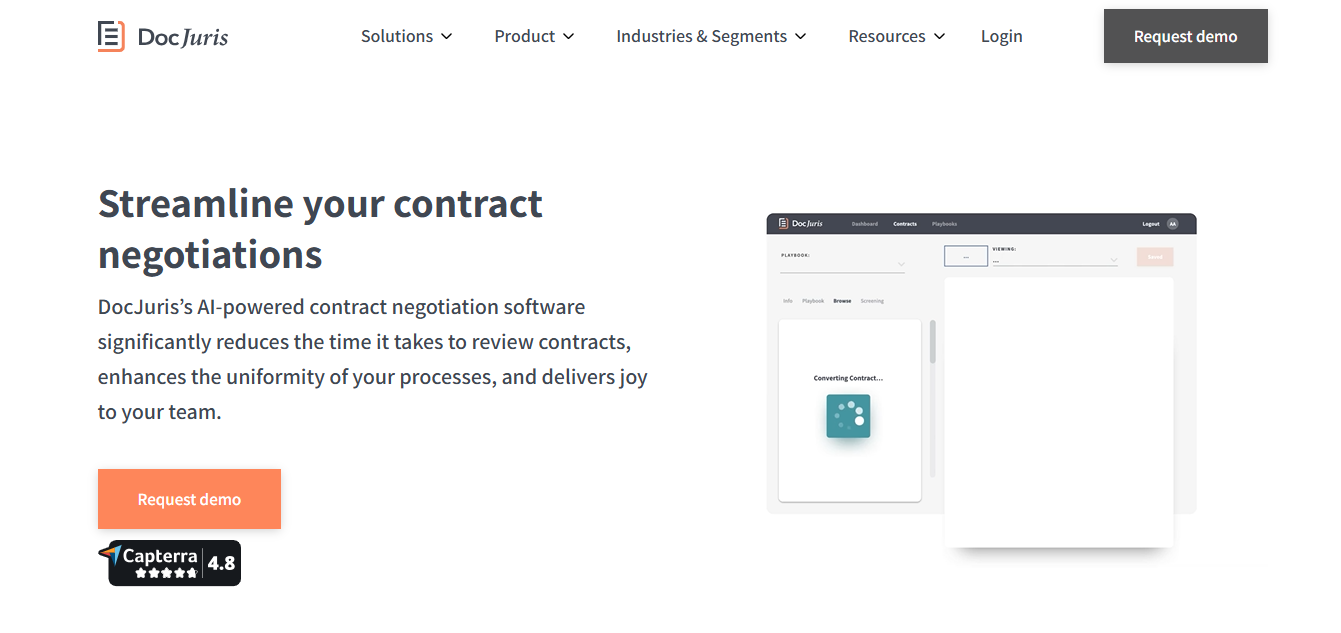
7. DocJuris
DocJuris is a contract management platform built to help small businesses and legal teams review contracts faster and more accurately.
Source: DocJuris.com
If you’re constantly sending documents back and forth, handling edits, or dealing with redlines, DocJuris keeps things organized and efficient. It’s useful when you need to manage agreements that involve detailed negotiations or sensitive terms.
Instead of digging through emails or juggling multiple drafts, DocJuris simplifies the contract review process with AI-assisted tools and structured workflows. You can stay on top of contractual obligations, keep your language consistent, and never lose track of contract deadlines again.
Best Features
AI-assisted redlining – Automatically suggest edits and improve contract language to save review time.
Playbooks and rulesets – Follow preset legal guidelines to standardize how you review contracts.
Workflow automation – Set up custom flows for approvals, negotiations, and signatures.
Clause comparison – Compare different versions of key clauses side by side.
Collaboration tools – Work with your team in one space to make faster, clearer decisions.
Deadline tracking – Stay ahead of contract deadlines with alerts and progress updates.
Secure contract storage – Organize and manage agreements in one safe, searchable place.
Pros
Suitable for small teams handling frequent contract review
Strong AI support for redlining and language consistency
Keeps contractual terms, deadlines, and progress clearly visible
Best For
Legal teams focused on contract review, redlining, and negotiation speed
Organizations using playbooks and fallback clauses for standardization
Non-legal teams to handle contract review processes with minimal legal dependency.
Not So Good For
Teams needing full CLM (no lifecycle management beyond negotiation)
Businesses looking for native e-sign and end-to-end workflows.
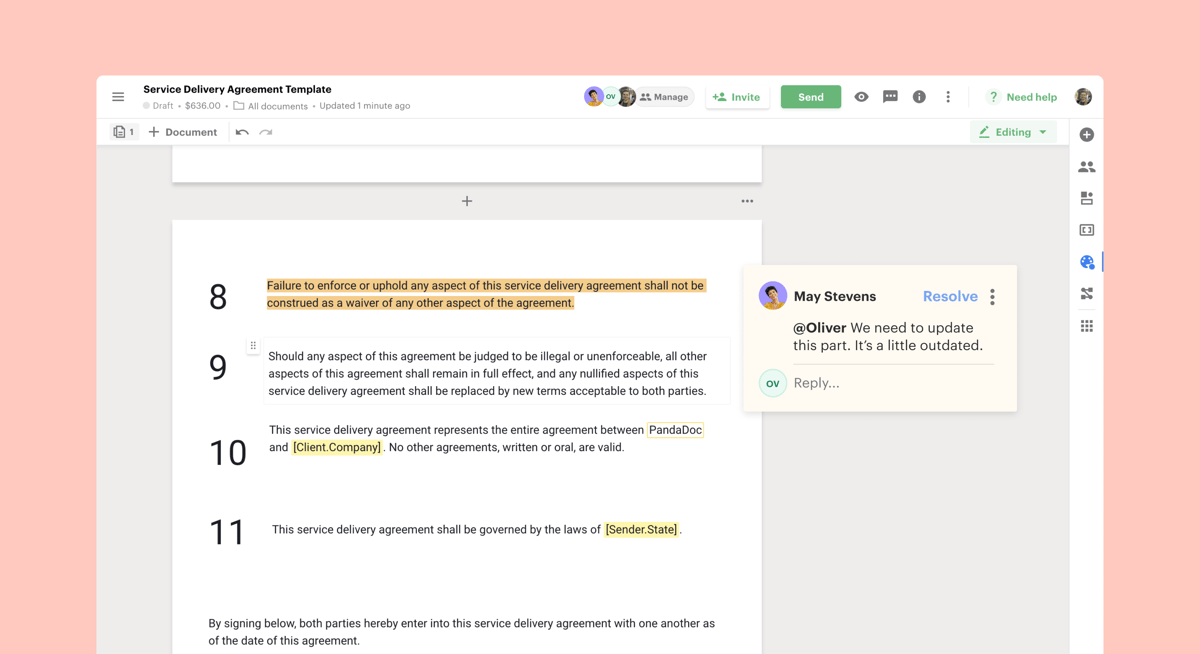
8. PandaDoc
PandaDoc is a popular choice for small business owners who want to create contracts quickly and keep their paperwork moving without overcomplicating things.
It’s handy for sales teams, freelancers, and service providers who deal with proposals, quotes, and vendor agreements on a regular basis.
What sets PandaDoc apart is how easy it makes contract drafting. You can start with a template, tweak a few details, and send it out for signing in just a few clicks. It’s built for speed, but still gives you the tools you need to stay professional and organized.
Best Features
Drag-and-drop builder – Design and customize documents without needing design skills.
Templates library – Choose from dozens of pre-built templates for common contract types.
Built-in e-signatures – Get documents signed without needing third-party tools.
Content locking – Prevent changes to key sections once a contract is finalized.
Analytics and tracking – See who opened your document and when.
Mobile-friendly interface – Create and manage contracts on the go.
CRM integrations – Connect with HubSpot, Salesforce, and more to streamline workflows.
Pros
Fast and easy contract drafting
Great for sales, marketing, and service teams
Suitable for creating and managing vendor agreements
Trusted by small business owners who need speed without complexity
Best For
Teams that want fast, template-driven document creation and sending
Sales and ops teams needing complete e-signature workflows
Small to mid-sized businesses that are digitizing contracts and approvals.
Not So Good For
Teams needing contract lifecycle tracking and compliance workflows
Organizations expecting advanced formatting and customization.
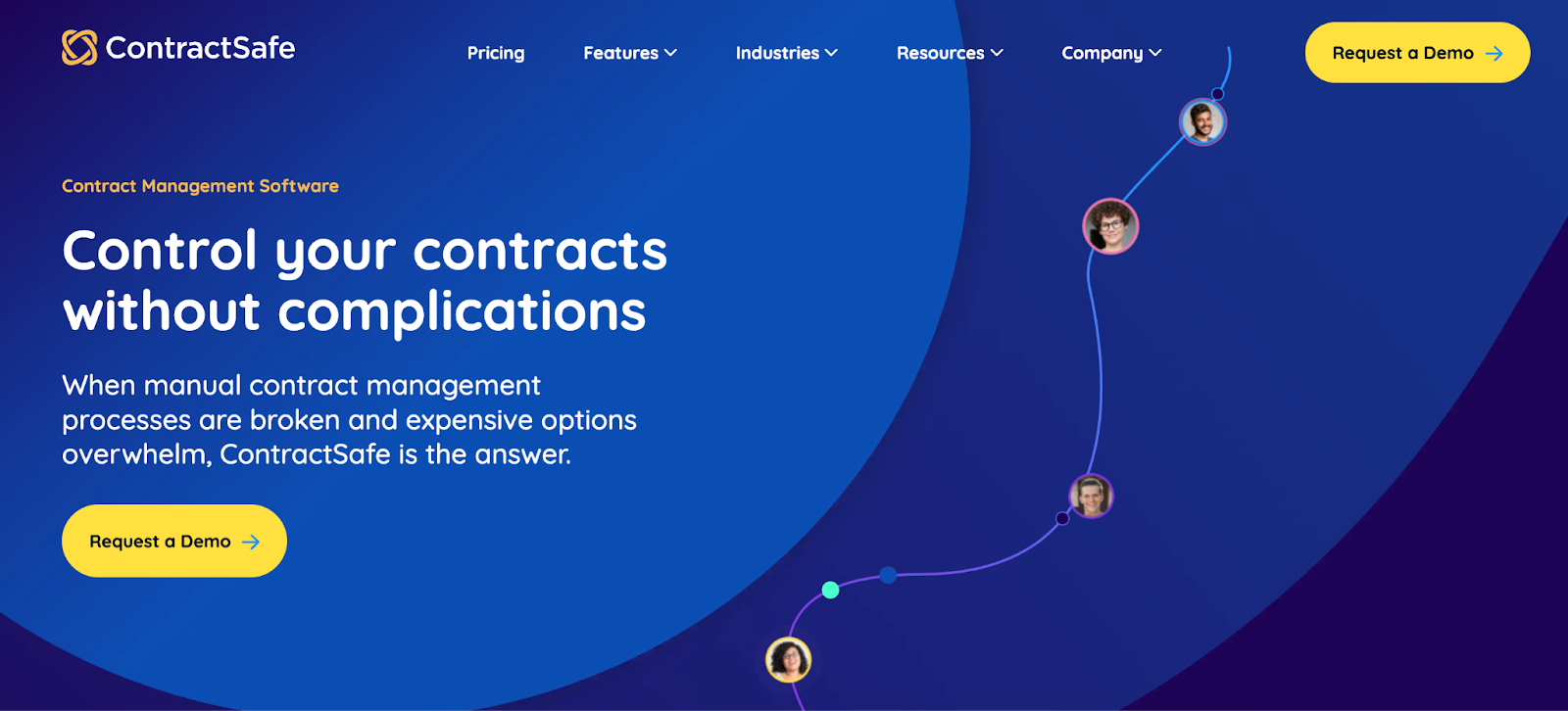
9. ContractSafe
ContractSafe is a clean, no-frills contract management platform built for businesses that want to stay organized without diving into overly complex systems. This tool is a good fit for teams that need to manage digital contracts quickly and securely, especially when there’s no full-time legal department on hand.
Source: ContractSafe.com
ContractSafe focuses on making it easy to store, find, and track agreements with smart search tools and deadline reminders. While it doesn’t offer heavy customization or contract generation, it handles the core tasks well and helps improve contract visibility across your team.
Best Features
Centralized contract storage – Keep all your contracts in one secure, searchable platform.
AI-powered search – Find the right contract fast using keywords, phrases, or filters.
Deadline alerts – Set automatic reminders to avoid missing key dates.
User access controls – Limit who can view or edit contracts with custom permissions.
Activity tracking – Monitor actions across your team to maintain accountability.
Quick document upload – Tag and organize files for better contract visibility.
Support for small teams – No legal department required to get started or stay on track.
Pros
Simple and intuitive interface
Suitable for storing and managing digital contracts
Strong search and tagging features
Keeps contract timelines and responsibilities clear without overwhelming your team.
Best For
Teams needing simple contract storage, search, and reminders
Businesses moving away from manual spreadsheets and folders.
Teams looking for a ‘Google-like’ search feature that uses OCR for all documents, including PDFs.
Not So Good For
Teams managing non-standard or complex contract structures that require flexible customization
Teams handling bulk uploads or legacy contract cleanup.
Aline as Your Contract LifeCycle Management Solution
Most contract tools solve one part of the workflow. Aline brings everything into a single system, from drafting and redlining to approvals, signing, storage, and analysis, with AI built in from the start. This removes the need to manage contracts across Word, email, Slack, e-signature tools, and shared drives.
The impact is visible in how teams operate day to day. DailyPay saved 20+ hours per week and $60K annually by reducing manual contract analysis, while gaining real-time visibility across 20,000+ agreements. Instead of spending hours searching for obligations and risks, teams can instantly identify critical contract data.
As contract volume increases, manual tracking, scattered data, and delayed approvals become harder to manage. Aline replaces that with a structured system where contracts move faster and remain visible at every stage.
If your team is still managing contracts across documents, email, and separate tools, the higher cost is the time lost every week on manual work and missed follow-ups.
Trusted by 100+ companies across 10+ countries, with 2,000+ users and a 97% customer retention rate, Aline gives you the control and visibility to manage contracts end to end.
FAQs About Best Contract Management Software For Small Businesses
Which is the best contract management software?
The best contract management software depends on your team’s size, goals, and how you’re conducting business. Aline is a great all-in-one option for startups, especially with its AI support and smart contract templates. PandaDoc is a solid pick for sales-driven teams, while Zoho Contracts works well if you're already using other Zoho apps. Each of these offers tools to help you stay organized, improve workflows, and handle contracts more efficiently.
Does QuickBooks have contract management?
QuickBooks doesn’t offer full contract management features. It’s built for accounting and invoicing, not for drafting or tracking legal agreements. You’ll need a separate tool with features like a contract editor, e-signatures, and contract repository support to manage legal obligations and reduce business risks properly.
How much does contract management software cost?
Pricing varies widely depending on the features and size of your team. Some tools offer free plans or startup discounts, while more advanced platforms charge based on contract volume or user seats. You’ll also want to consider if the platform includes built-in e-signatures, automated approval workflows, or advanced contract insights, which can impact the price.
Is Zoho contract free?
Zoho Contracts doesn’t have a free plan, but it offers affordable pricing aimed at small businesses. The platform includes useful features like contract templates, reminders, and automated renewals, making it a smart option for teams looking to improve how they manage business relationships without breaking the bank.
Contract negotiations can be a rough process, but they don't have to be. Learn more about the most effective tips for a smooth negotiation process here.